
Traffic Case Records in Isabella County
Traffic tickets and civil infractions in Isabella County are handled by the 76th District Court. The court and its clerk keep the case file and docket trail. That trail makes up the traffic court record. It can show public case details, hearing dates, what the court did, and any amount due. A ticket search tool helps you find the matter. But it is not the full civil or criminal docket.
Begin with the court printed on the citation. The county's Trial Court page gives court and payment directions. MiCOURT D76 is the court's public case-search entry point. When something is missing online, the clerk can help. You can get a copy or an answer the same day.
Four Isabella County Traffic Ticket Search Routes
The official Michigan eTix search starts when you pick the county and court. Four search options are available there. Enter only what the current lookup needs. Do not save license or date-of-birth details afterward. For choosing a route, nothing beats the citation and the issuing-court label printed on it.
| eTix route | Information entered | When it helps |
|---|---|---|
| Ticket or case route | Last name plus ticket or case number | Best when the citation is available. |
| Name route | Last name plus date of birth | Useful when the ticket number is not at hand. |
| License route | Driver-license number plus state | An alternative field set offered by eTix. |
| Plate route | License plate plus state | Another search panel offered by eTix. |
The official eTix interface displays the county and court selection with those search methods.
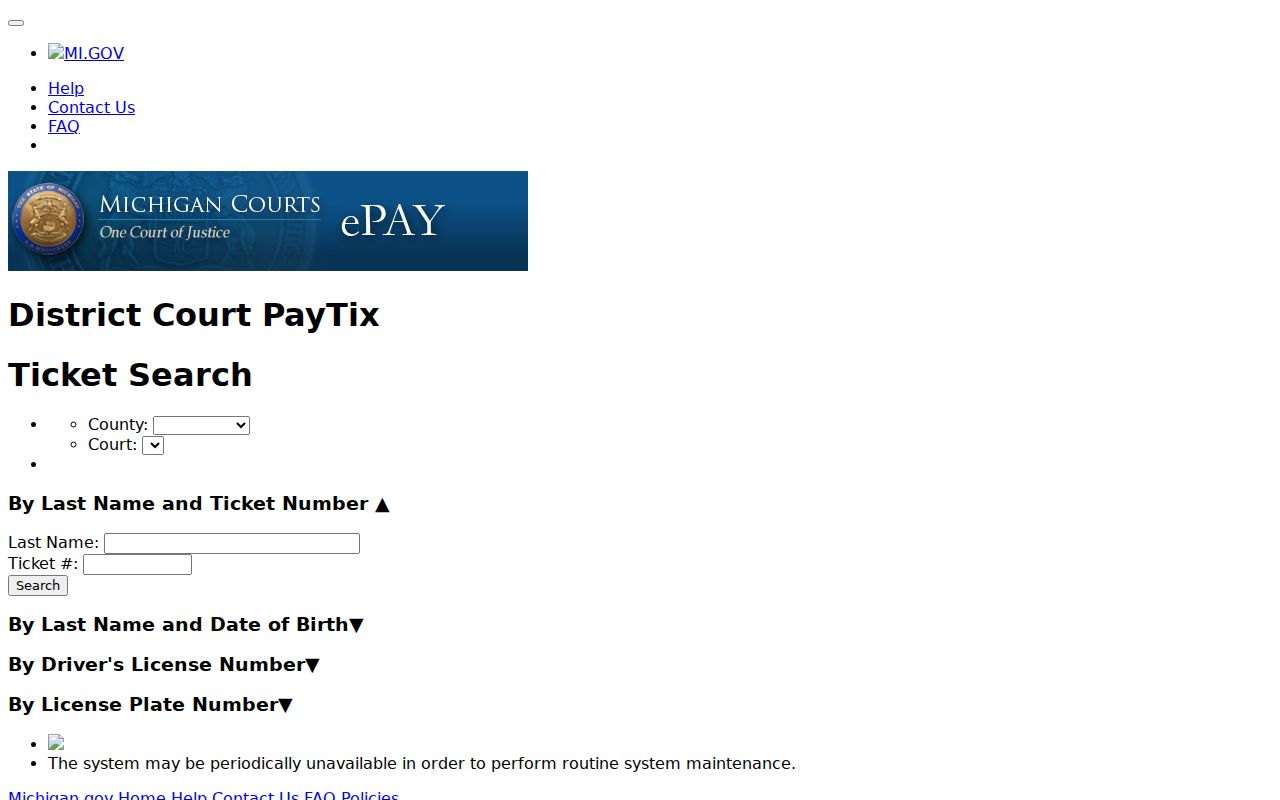
A search screen only locates a ticket. Before you rely on a result, confirm it is the Isabella County case named on the citation.
Isabella County Traffic Ticket Lookups
A ticket that has not posted, an unclear court, or a deadline that is close calls for every channel at once. Isabella County offers several. The list includes eTix, MiCOURT D76, the public hearing display when a hearing is shown, the 76th District Court clerk and public terminal, a phone call to the right division, written clerk contact for copies or payment problems, and the mail directions printed on the ticket. AllPaid handles card payments for the county. The issuing court should confirm the current route before you rely on it.
- Read the citation for its court name, ticket or case number, deadline, and any printed response instructions.
- Search eTix using the county, court, and one of the available field sets.
- Check MiCOURT D76 when a public District Court case search is needed.
- Call the court or visit the 76th District Court clerk and public terminal if the ticket is absent, the due date is close, or a copy is required.
- Use the citation’s mail instructions only after confirming the receiving court and the kind of response being submitted.
For payment questions, the county points court payments to AllPaid, online or by phone at 1-888-604-7888, and notes that a vendor fee may apply. Not every generic eTix payment path serves Isabella County. Call the issuing court first before you assume it does.
Isabella County Traffic Ticket Cart Fields
After an eTix search finds a ticket, the cart is more than a payment screen. It is a field inventory. The official cart shows the ticket number, name, issue date, violation, and amount. It also lists actions like removing an item, clearing the cart, paying ticket entries, starting a new search, and reviewing past results. The eTix ticket-search endpoint displays the ticket, name, date-of-birth, license, and plate search panels. They appear on the official page.
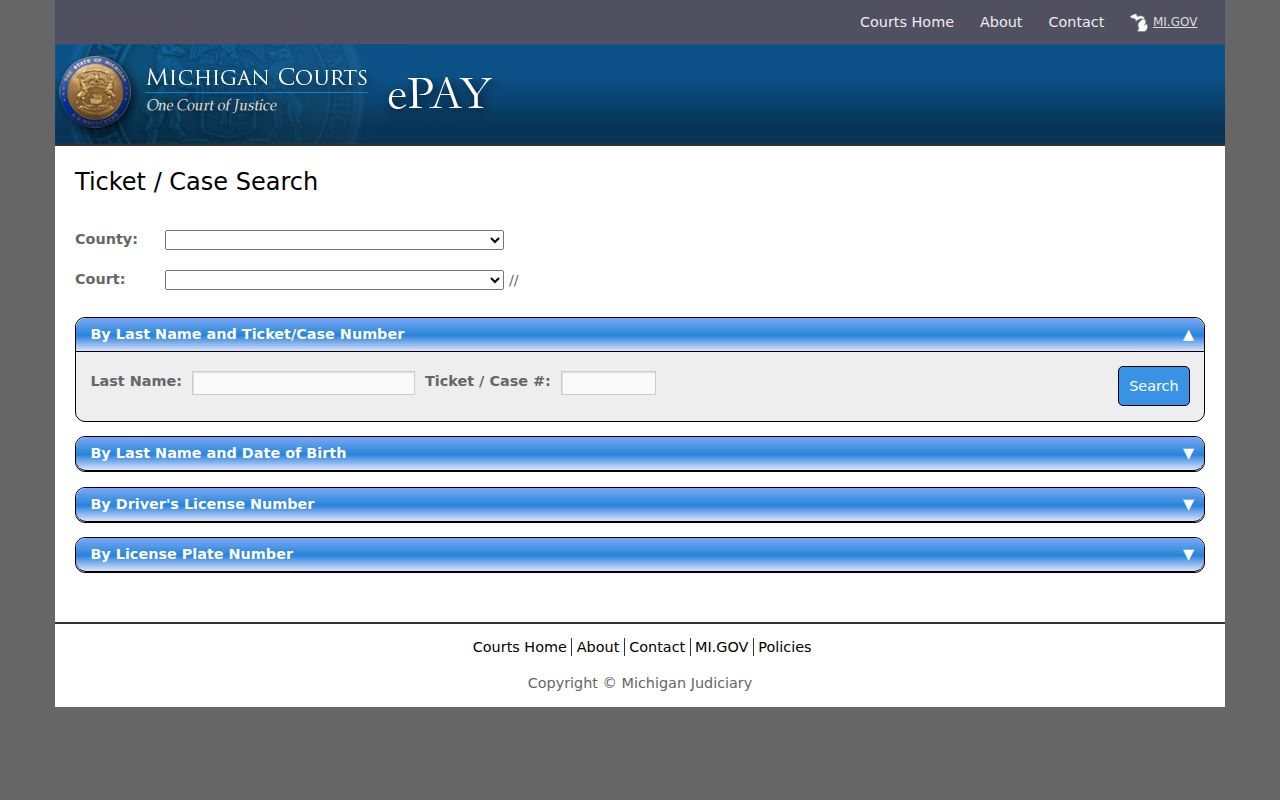
Check the ticket number, issue date, and court against the physical citation. Matching fields narrow the search, but only the court record and clerk confirm the real case status.
Traffic Court Dates in Isabella County
A hearing in Isabella County can show up on the date-oriented public Court Display. This can happen even when the citation states its own appearance date. When public events are available, the Isabella Court Display lists party name, time, and hearing information or room. It also shows case number and CTN. Treat it as a snapshot, not a full register. Its JavaScript or API layer can also return no results or an error.
| Citation or case number | Use the number printed on the ticket; no Isabella-specific ticket-number format was located. |
|---|---|
| Court | For local traffic and civil-infraction matters, confirm the 76th District Court or the court printed on the citation. |
| Date and time | A listed hearing setting that should be confirmed with the court when time-sensitive. |
| Hearing information or room | The display’s public location field, which can change with scheduling. |
| Status | A court or ticket-system label that should be read with the current docket or clerk confirmation. |
Use the public display for a date check only, never as a stand-in for official notice. A reset, removal, or outage does not resolve a ticket. Call the court's proper division for same-day confirmation.
Isabella County Traffic Case Appearance
MCL 257.745 lays out the appearance choices a traffic citation allows. Under the statute, a person may admit responsibility in person, through a representative, or by mail. A person may also deny responsibility and request a hearing. The citation and the issuing court set the practical response route for an Isabella County matter.
Neither phrase is a label to infer from a portal result. "Admit responsibility" and "request a hearing" are procedural choices. Read the citation. Keep any date it shows. Call the court quickly if a screen seems to conflict with the instructions. Staff can explain the filing or payment route. They cannot give legal advice.
Paying a Ticket vs Fighting It
In the eTix process, paying and requesting a hearing lead to different places. The official cart warns that payment enters an appearance, waives a hearing, and admits responsibility. To deny responsibility, follow the citation and court instructions for a hearing request instead of treating a payment screen as a neutral placeholder.
| Paying through an approved route | Requesting a hearing |
|---|---|
| eTix warns that payment enters an appearance, waives a hearing, and admits responsibility. | MCL 257.745 permits a denial and hearing request under the statute. |
| Use the county-confirmed AllPaid or other current court direction. | Use the response method and court identified on the citation. |
| Confirm vendor fees and whether the payment route accepts the Isabella County citation. | Confirm that the court received the request and the date of any setting. |
Missed response warning: The SCAO CIA-03 14-Day Notice lists an amount due, possible Secretary of State suspension, a bench warrant, costs to compel appearance, and a hardship contact. A portal outage does not extend a due date. Contact the issuing court immediately if the ticket system cannot be reached.
Isabella County Traffic eTix and AllPaid
eTix and AllPaid do different jobs. eTix is Michigan's ticket search and cart interface. AllPaid is the vendor the Isabella County Trial Court points to for online court payments. It also handles payments by phone. Neither replaces the 76th District Court case file, the clerk counter, or the hearing display. Since payment links and vendor availability can shift, confirm the current route with the court. The official eTix cart page shows the statewide ticket fields. It also posts the payment warning that goes with them.
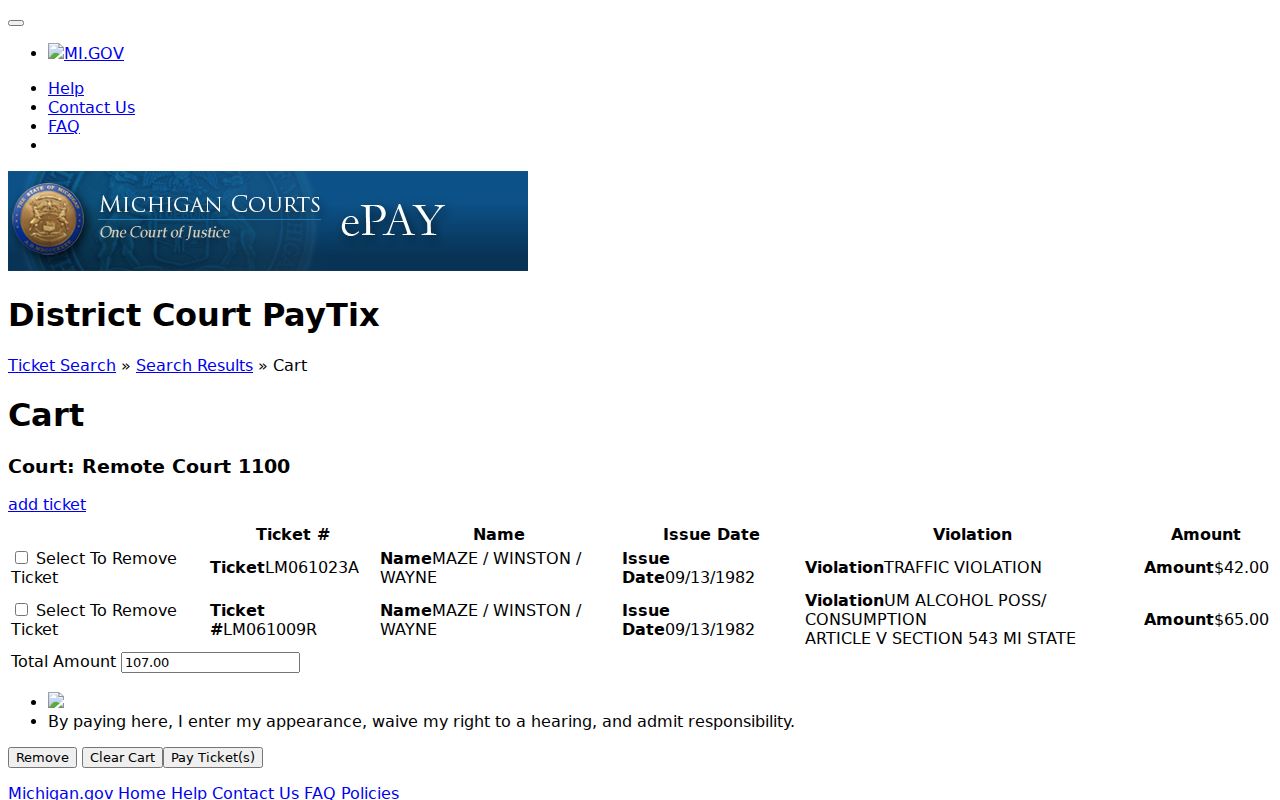
Check a few things before you pay an Isabella County ticket. Confirm the court, the ticket number, and the amount shown, and understand the effect of payment; when the online route looks uncertain, the clerk is the fallback.
Two Records: Court File and Driver File
Two files sit behind a traffic case. A traffic court record and a Michigan driving record are different files kept by different offices. The court side is the Isabella County citation case, its docket events, hearing information, orders, and disposition, and the 76th District Court clerk holds it. The driver file is separate. The state licensing agency maintains it. A court lookup is not a request for, or a substitute for, that state record.
| Isabella County court file | State driver file | |
|---|---|---|
| Custodian | 76th District Court and its clerk. | State licensing agency. |
| Purpose here | Locates the citation case, court date, public docket activity, and court copies. | A separate state-held record, outside the court-file request route. |
| Access path | eTix, MiCOURT, clerk, public terminal, or court-approved request. | Use the state licensing agency’s own process, not an Isabella County court-file request. |
Keep the distinction narrow. A traffic docket search is for finding and resolving the court case named on a citation, not for judging a separate driver record.
Isabella County Traffic Court Display or eTix
eTix finds a ticket and its payment information. The Isabella Court Display handles the calendar side. It checks a public hearing date by date. The two tools answer different questions. A ticket result can list the ticket number, issue date, violation, and amount. A calendar entry can show a party name, time, hearing information or room, case number, and CTN when it is publicly displayed. If a date looks wrong, check the ticket and the current court display, then call the clerk. No results does not mean no hearing. The county warns that certain family-division records are not shown. For wider local calendar context, the Court Schedule helps.
Traffic Record Copy Fees
Isabella County posts no separate traffic-copy fee schedule. Ask the 76th District Court clerk for the current total before ordering a court-file copy. The county's published civil and probate schedules still work as a reference. Certified copies there run $10 plus $1 per page. Probate photocopies are listed at $1 per page. Those published amounts are a reference point, not a promise that every traffic record request has the same charge.
| Item | Published or confirmed amount | Check before relying |
|---|---|---|
| Traffic ticket amount | Shown for the individual ticket, when available | Confirm through the issuing court or accepted ticket route. |
| Certified court copy | $10 plus $1 per page on published civil and probate schedules | Ask the 76th District Court clerk about the traffic-file charge. |
| Photocopy | $1 per page on the published Probate Division schedule | Confirm the division and current reproduction fee. |
| Vendor payment fee | May apply | The county directs users to confirm the current AllPaid total. |
Isabella County Ticket Portal Outages
Portals go down sometimes. If eTix, MiCOURT, or the Court Display is unavailable, keep the citation. Then contact the issuing court. The SCAO 14-Day Notice treats the court as the point of contact for payment and hardship information. A website error proves nothing. It does not move a due date. It does not remove a hearing or end the ticket's need for a response. Call the 76th District Court. The county Trial Court office answers too. If phones fail, the public terminal or clerk counter works. Staff there can give the current response status. For a written admission or hearing request, follow the citation or court-provided instructions. Do not send material to a generic county address.